
Bitwig Studio is a powerful‚ cross-platform Digital Audio Workstation (DAW) designed for musicians‚ sound designers‚ and anyone seeking a flexible music creation environment.
It offers a unique approach to music production‚ emphasizing non-linear workflows and extensive modulation capabilities‚ fostering creativity and experimentation.
What is Bitwig Studio?
Bitwig Studio is a sophisticated Digital Audio Workstation (DAW) and sound design platform‚ built for both creative musicians and technical sound engineers. Unlike traditional linear DAWs‚ Bitwig champions a non-linear workflow‚ allowing for simultaneous composition and arrangement‚ fostering a more fluid and experimental process.

At its core‚ Bitwig is designed around the concept of modulation. Everything within Bitwig can be modulated by almost anything else‚ opening up vast possibilities for dynamic and evolving sounds. This extends beyond simple parameter adjustments; you can modulate devices with other devices‚ creating complex and interconnected sonic landscapes.
Bitwig Studio isn’t just software; it’s an environment. It supports a wide range of plugins (VST‚ AU‚ and its native Bitwig Devices)‚ MIDI controllers‚ and hardware integration. It’s available for Windows‚ macOS‚ and Linux‚ offering cross-platform compatibility. The software’s modular design encourages users to build their own custom instruments and effects‚ pushing the boundaries of sound design.
Bitwig Studio’s Core Philosophy
Bitwig Studio’s development is deeply rooted in a philosophy of openness and flexibility. The creators aimed to build a DAW that doesn’t dictate how you should make music‚ but rather provides the tools to realize your vision‚ regardless of genre or technique.
A key tenet is modularity. Bitwig isn’t simply a collection of pre-defined effects and instruments; it’s a system where you can connect and manipulate elements in almost limitless ways. This encourages experimentation and the creation of truly unique sounds.
Furthermore‚ Bitwig prioritizes user control. The software avoids “hidden” features and strives for transparency‚ allowing users to understand and influence every aspect of their projects. This extends to its robust scripting API‚ enabling advanced users to customize and extend the software’s functionality. Bitwig is designed to adapt to you‚ not the other way around‚ fostering a truly personalized music production experience.

Bitwig Studio Interface Overview
Bitwig Studio’s interface is logically organized into key areas: the Clip Launcher for non-linear arrangement‚ the Arrangement View for traditional timelines‚ and the Mixer.
The Clip Launcher
The Clip Launcher is Bitwig Studio’s signature non-linear composition environment. It’s a grid-based system where you arrange clips – short audio or MIDI segments – to build song ideas and arrangements. Think of it as a performance-focused sketchpad.
Clips are launched individually or in scenes (horizontal rows)‚ allowing for dynamic‚ improvisational arrangements. You can trigger clips in real-time‚ experiment with different combinations‚ and record your performance as a new arrangement in the Arrangement View.
Each clip slot can hold a single clip‚ and you can easily duplicate‚ move‚ and modify clips within the launcher. The launcher also features dedicated controls for clip volume‚ pan‚ and send effects. Color-coding clips is a fantastic way to visually organize your ideas.
Crucially‚ the Clip Launcher isn’t just for live performance; it’s a powerful tool for songwriting and experimentation. It encourages a playful approach to music creation‚ letting you quickly iterate on ideas without the constraints of a rigid timeline. It’s a core element of Bitwig’s workflow.
The Arrangement View
The Arrangement View in Bitwig Studio provides a traditional‚ timeline-based approach to music production. It’s where you assemble your song from the clips you’ve created and launched in the Clip Launcher‚ or directly record new material.
This view displays tracks vertically and time horizontally‚ allowing you to arrange audio and MIDI clips linearly. You can easily move‚ resize‚ copy‚ and paste clips to build a complete song structure. Automation lanes are also prominently featured‚ enabling precise control over parameter changes over time.
The Arrangement View supports unlimited tracks and allows for detailed editing of clip start and end points‚ fades‚ and crossfades. It’s ideal for refining your song’s structure‚ adding transitions‚ and polishing the final arrangement.
Importantly‚ the Arrangement View isn’t separate from the Clip Launcher; they work seamlessly together. You can record performances from the Launcher directly into the Arrangement View‚ or drag and drop clips between the two views for a flexible workflow.
The Mixer

The Mixer in Bitwig Studio is a central hub for controlling the audio within your project; It provides a comprehensive set of tools for shaping and processing sound‚ offering both traditional and innovative features.
Each track in your project has a corresponding channel strip in the Mixer‚ complete with volume fader‚ pan control‚ sends‚ and inserts for effects. You can route audio and MIDI to different outputs‚ create complex signal chains‚ and monitor levels with precision.
Bitwig’s Mixer excels with its unique device slots‚ allowing you to load multiple effects and instruments directly onto each channel. The ‘Quick Controls’ offer immediate access to key parameters‚ while the ‘Macro Controls’ enable you to create custom performance controls.
Furthermore‚ the Mixer supports sidechaining‚ grouping‚ and VCA control‚ providing advanced mixing capabilities. It’s designed to be visually clear and intuitive‚ facilitating both subtle adjustments and dramatic sound design.

Core Concepts in Bitwig Studio

Bitwig Studio revolves around devices‚ modulation‚ and automation. These interconnected elements empower users to sculpt sound‚ create dynamic arrangements‚ and build unique musical ideas.
Devices & Instruments
Bitwig Studio utilizes a device container system‚ meaning almost anything within the software exists as a “device.” This includes instruments‚ effects‚ utilities‚ and even entire chains of processing. Devices are stacked within tracks‚ allowing for complex signal paths and creative sound design.
Instruments are the sound sources. Bitwig comes with a robust collection of built-in instruments like the sampler‚ FM synth‚ and virtual analog synths. These can be further expanded with VST plugins. Each instrument offers unique parameters for shaping the sound‚ from oscillators and filters to envelopes and LFOs.
Effects modify existing audio signals. Bitwig’s effects range from standard compressors and reverbs to more experimental options like shimmer and bitcrushers. Like instruments‚ effects can be chained and layered to create intricate processing chains.
The modular nature of devices allows for nesting – placing devices within other devices – creating incredibly complex and customized sounds. This flexibility is a cornerstone of Bitwig’s workflow‚ encouraging experimentation and sonic exploration.
The Modulator System
Bitwig Studio’s modulator system is arguably its most powerful feature‚ enabling dynamic and expressive sound design. Modulators are signals that change parameters over time‚ adding movement and interest to your sounds. Bitwig offers several modulator types‚ including LFOs‚ envelope followers‚ step sequencers‚ and random generators.
These modulators aren’t limited to traditional destinations like filter cutoff or volume. They can be assigned to any device parameter‚ even parameters within other modulators‚ creating incredibly complex modulation networks. This allows for intricate and evolving textures.
Modulation lanes provide a visual representation of modulator assignments‚ making it easy to edit and fine-tune modulation curves. You can drag and drop modulators onto device parameters directly‚ or use the modulation matrix for more precise control.
Bitwig’s macro controls also leverage the modulator system‚ allowing you to create performance-oriented modulation assignments for live control and expressive playing; The possibilities are truly endless‚ fostering unique and dynamic soundscapes.
Automation in Bitwig
Bitwig Studio provides a comprehensive automation system‚ allowing you to record and edit changes to device parameters over time. Automation brings life and dynamism to your tracks‚ moving beyond static settings to create evolving soundscapes.
Automation can be recorded in real-time while playing or programmed manually using automation lanes. These lanes display a graphical representation of parameter changes‚ offering precise control over every nuance. You can edit automation points directly‚ adjusting their position‚ shape‚ and value.
Bitwig’s automation system isn’t limited to linear changes. It supports curves and slopes‚ allowing for smooth transitions or abrupt shifts in parameter values. Automation can also be copied‚ pasted‚ and mirrored‚ streamlining repetitive tasks.
Furthermore‚ automation can be linked to modulators‚ creating complex and interactive automation patterns. This synergy unlocks a new level of expressiveness‚ allowing for truly dynamic and evolving musical arrangements. Automation is key to polishing your productions!

Working with Audio in Bitwig Studio
Bitwig Studio excels at audio manipulation‚ offering robust tools for recording‚ editing‚ and processing sound. Import‚ arrange‚ and refine audio with ease.
Shape your sounds using a wide array of built-in effects and external plugins.
Audio Clips and Editing
Audio clips in Bitwig Studio are the fundamental building blocks for your audio arrangements. They represent recorded audio‚ imported samples‚ or audio generated from other devices. You can easily create new audio clips by recording directly into Bitwig‚ importing audio files from your computer‚ or by converting MIDI clips to audio.
Editing audio clips is a non-destructive process‚ meaning your original audio files remain untouched. Bitwig provides a comprehensive set of editing tools‚ including trimming‚ splitting‚ looping‚ fading‚ and time-stretching. You can visually manipulate the waveform to precisely shape your audio. The clip editor allows for detailed adjustments‚ such as crossfades and gain adjustments.
Key features include the ability to reverse audio‚ normalize levels‚ and apply basic effects directly within the clip editor. You can also use the clip launcher to trigger and arrange audio clips in a non-linear fashion‚ perfect for live performance or experimentation. Furthermore‚ Bitwig’s clip automation features allow you to modulate parameters within individual clips‚ adding dynamic variation to your audio.
Audio Effects
Bitwig Studio boasts a rich collection of built-in audio effects‚ covering everything from essential processing tools to creative sound design utilities. These effects can be applied to individual clips‚ tracks‚ or the master output‚ offering flexibility in shaping your sound.
Core effects include equalizers‚ compressors‚ reverbs‚ delays‚ and filters. Beyond these staples‚ Bitwig offers unique effects like the Shaper‚ which allows for complex modulation of audio signals‚ and the Phaser-Flanger‚ providing classic modulation effects. Effects are organized intuitively within the browser‚ making it easy to find what you need.
Effect layering is a powerful technique in Bitwig. You can stack multiple effects in series to create complex soundscapes. The device chain allows for easy reordering and parameter control. Furthermore‚ Bitwig supports VST and VST3 plugins‚ expanding your effects palette exponentially. Don’t forget to explore the modulation system to animate effect parameters for dynamic and evolving sounds!
Recording Audio
Bitwig Studio provides a streamlined audio recording experience. To begin‚ ensure your audio interface is properly configured in the preferences. Create an audio track and select the desired input source. Arm the track for recording by clicking the record-enable button – it will turn red.
Bitwig offers various recording modes‚ including looping and pre-roll. Utilize the input level meter to set appropriate gain staging‚ avoiding clipping. Press the main record button to start capturing audio. Monitoring options allow you to hear the input signal directly‚ or a processed version through effects.
After recording‚ you can easily edit the audio clip – trimming‚ looping‚ and applying fades. Bitwig’s clip editor provides precise control over audio manipulation. Remember to save your project frequently to preserve your work! Experiment with different microphone placements and recording techniques to achieve the best possible sound quality.

Working with MIDI in Bitwig Studio
Bitwig Studio excels at MIDI sequencing and manipulation. It supports a wide range of MIDI controllers and offers powerful tools for composing and editing musical ideas.
Explore its flexible clip launching and arrangement views for dynamic MIDI-based music production.
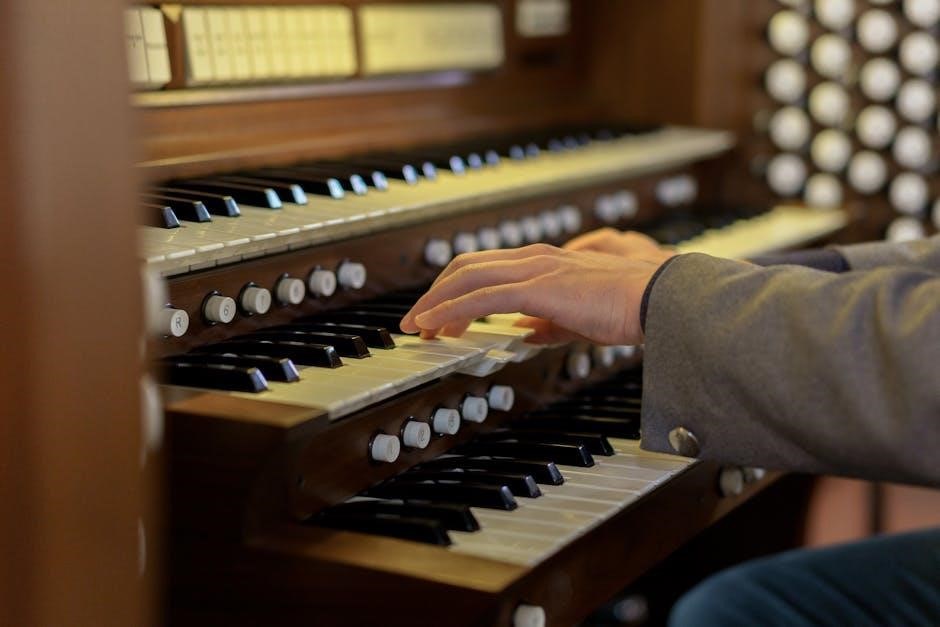
MIDI Clips and Editing
MIDI Clips are the fundamental building blocks for creating musical sequences in Bitwig Studio. They contain MIDI data – notes‚ controllers‚ pitch bend‚ and more – that drive virtual instruments and effects. Creating a new MIDI clip is straightforward: simply right-click in the Arrangement or Clip Launcher view and select “Insert MIDI Clip.”
Bitwig’s MIDI editor provides a comprehensive set of tools for precise editing. You can visually adjust note positions‚ lengths‚ velocities‚ and other parameters. The editor supports various editing modes‚ including pencil‚ draw‚ and step sequencing. Velocity editing is particularly powerful‚ allowing for dynamic expression.
Beyond basic note editing‚ Bitwig offers advanced features like MIDI effects directly within the clip editor. You can add arpeggiators‚ chord generators‚ and other effects to transform your MIDI sequences in real-time. Furthermore‚ the ability to draw automation curves directly onto the MIDI clip itself provides granular control over parameters over time. Experiment with these features to unlock complex and evolving musical patterns.
MIDI Effects
MIDI Effects in Bitwig Studio are powerful processors that manipulate MIDI data before it reaches your virtual instruments. Unlike audio effects which alter sound‚ MIDI effects alter the messages sent to those instruments‚ offering unique creative possibilities.
Bitwig boasts a diverse range of built-in MIDI effects‚ including Arpeggiators for creating rhythmic patterns‚ Chord Generators for easily constructing harmonies‚ Note Repeaters for stuttering effects‚ and Velocity Modulators for dynamic expression. These can be chained together for complex transformations.
To add a MIDI effect‚ simply drag it from the browser onto a MIDI track or directly onto a MIDI clip. The effect will process all MIDI data flowing through that track or clip. Experimenting with different combinations and settings is key to discovering new sounds.
Don’t forget to explore the Modulator system within each MIDI effect; it allows you to control effect parameters with LFOs‚ envelopes‚ and other modulators‚ adding movement and variation to your MIDI sequences.
Virtual Instruments
Virtual Instruments are the heart of sound creation within Bitwig Studio. These software synthesizers and samplers respond to MIDI input‚ generating audio based on your notes and control data. Bitwig comes equipped with a robust collection of native instruments‚ covering a wide sonic palette.
Key instruments include The Grid‚ a modular synthesizer allowing for deep sound design‚ Sampler‚ a versatile tool for manipulating audio samples‚ and various analog-modeling synths like FM Synth and Poly Synth. Each instrument offers unique features and sonic characteristics.
To load an instrument‚ drag it from the browser onto an instrument track. You can then play it using a MIDI controller or by creating MIDI clips. Explore the instrument’s interface to adjust parameters like oscillators‚ filters‚ and envelopes.
Bitwig also supports VST3 plugins‚ expanding your instrument library exponentially. Remember to utilize the Modulator system to breathe life into your instruments‚ creating dynamic and evolving sounds.

Advanced Bitwig Studio Techniques
Bitwig Studio unlocks powerful creative potential through techniques like The Grid‚ polysynths‚ and hardware integration‚ enabling complex sound design and performance workflows.
Using The Grid
The Grid is Bitwig Studio’s modular environment‚ a visual playground for sound design and instrument creation. It allows users to build custom devices from scratch using a vast library of modules‚ ranging from oscillators and filters to sequencers and effects.
Unlike traditional plugin chains‚ The Grid offers unparalleled flexibility. Modules aren’t simply connected in a linear fashion; they can be patched together in almost any conceivable configuration‚ creating intricate and dynamic soundscapes. You can create anything from simple effects to complex‚ evolving instruments.
Key features include the ability to create feedback loops‚ modulate parameters with extreme precision‚ and even design your own control surfaces within The Grid itself. It’s a powerful tool for experimentation‚ encouraging users to explore unconventional sound design techniques. The Grid supports both audio and MIDI processing‚ making it a versatile component of any Bitwig Studio project. Don’t be afraid to experiment with different module combinations – the possibilities are truly endless!
Polysynths and Layering
Bitwig Studio excels at sound design‚ particularly with its powerful polysynthesis capabilities. Unlike traditional monophonic synths‚ polysynths allow multiple notes to be played simultaneously‚ creating rich and complex textures. Bitwig’s polysynths offer extensive control over each voice‚ including detuning‚ panning‚ and individual effects.
Layering sounds is easily achieved within Bitwig. You can stack multiple instances of the same synth‚ each with different settings‚ or combine different instruments altogether. The Layer device is specifically designed for this purpose‚ allowing you to blend multiple sounds seamlessly.
Furthermore‚ Bitwig’s modulation system allows for dynamic layering. Modulate parameters like volume or filter cutoff across layers to create evolving and responsive sounds. Experiment with different layering techniques – subtle additions for warmth‚ or dramatic combinations for impactful textures. The possibilities are vast‚ enabling you to craft truly unique and captivating sonic landscapes.
Bitwig Studio and Hardware Integration
Bitwig Studio offers robust hardware integration‚ extending its capabilities beyond the digital realm. It supports a wide range of MIDI controllers‚ allowing for hands-on control over virtually every parameter within the software. Mapping controls is intuitive‚ enabling quick and customized workflows.
Beyond MIDI‚ Bitwig supports various hardware interfaces‚ including audio interfaces and control surfaces. This allows for seamless integration with external instruments‚ effects processors‚ and mixing consoles. The software’s flexible routing options facilitate complex setups.
Bitwig also excels with modular synthesizers via CV/Gate connections‚ utilizing devices like the CV output and CV input tools. This opens up exciting possibilities for hybrid setups‚ blending the power of software with the tactile experience of analog hardware. Explore synchronization options to keep your hardware and software perfectly in time‚ unlocking a world of creative potential.